Connecting Wuthering Waves and Discord in 2025
The popular action RPG Wuthering Waves has taken community features to a new level by integrating with Discord. Players worldwide are searching for "Wuthering Waves wuthering waves discord" to discover ways to enhance their game experience, connect with others, and participate in exclusive events. This guide covers the latest updates, how-to steps, and things to know about linking your accounts in 2025.
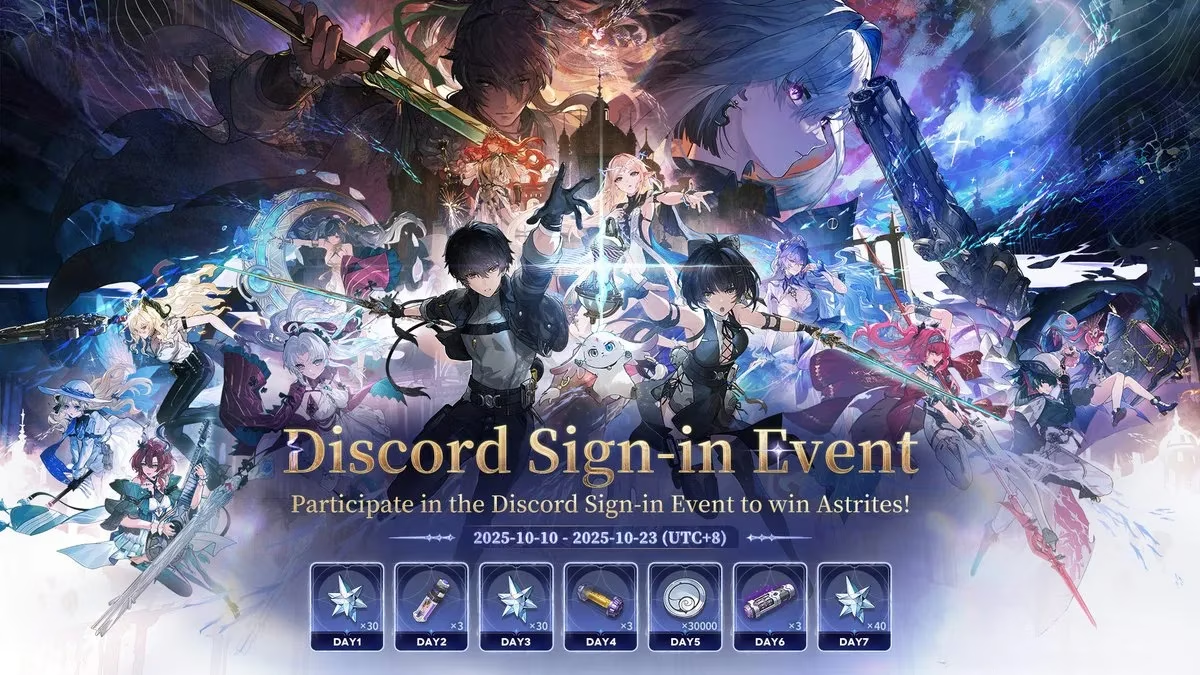
How to Link Your Wuthering Waves Account to Discord
Linking your Wuthering Waves account with Discord unlocks several interactive features, including real-time sharing of your character information and access to special sign-in events. Here are the basic steps:
-
Log in to your Kuro Pass account and connect it with your Wuthering Waves game account.
-
Log in to your Discord account.
-
Click the "Link Account" button displayed in the center of the screen.
Once completed, your Discord and Wuthering Waves accounts will be bound, letting you enjoy synchronized game data and social features.
Eligibility and Regions
Not every server is eligible for these features. The integration is currently available for players from:
-
America
-
Europe
-
Asia
-
HMT (Hong Kong, Macau, Taiwan)
-
SEA (Southeast Asia)
If you’re playing from other regions, keep an eye on official updates for future expansion!
Disconnecting Your Account: What You Need to Know
After successfully linking, you may decide to disconnect your Discord account. The process is straightforward:
-
Locate the "Remove Link" button at the bottom of the binding page.
-
Click it to unbind your account.
However, be aware there’s a 14-day cooling-off period before you can rebind. This means you won’t be able to reconnect your Discord or game character for two weeks, so make changes carefully.
Authorization and Data Privacy
To complete the account binding, several permissions must be granted:
| Authorization Needed | Purpose |
|---|---|
| Access to Kuro Pass | Sync game and player data |
| Discord game data agreement | Allow Discord to read Wuthering Waves stats |
| Bind with Kuro Pass | Enable full integration and features |
Players should review these permissions to ensure their data privacy preferences are met. Discord only accesses necessary game information to enable integration.
New Features and Future Updates
Kuro Games continues to expand the functionality between Wuthering Waves and Discord. Community members can expect new features, group events, and more ways to showcase their in-game achievements directly in Discord channels. Staying tuned to official announcements is the best way to catch upcoming enhancements.
Participating in Events: Why Link?
By linking your accounts, you gain access to sign-in events where you can win rewards and share character info in real time. These events often feature limited-time prizes and are a great way to boost engagement.
-
Exclusive sign-in rewards
-
Real-time character sharing
-
Community recognition
Final Thoughts
For players searching "Wuthering Waves wuthering waves discord" in 2025, linking your accounts is the gateway to richer community experiences and exclusive opportunities. Just remember the eligibility rules and the cooling-off period when making changes. With Discord integration, Wuthering Waves continues to foster strong connections and interactive gameplay.